Sitemap Setup
A sitemap helps search engines discover and index all the pages on your website efficiently. This guide explains how to set up a sitemap for your MtaaSpot web application.
Configuring Your Domain for Sitemap
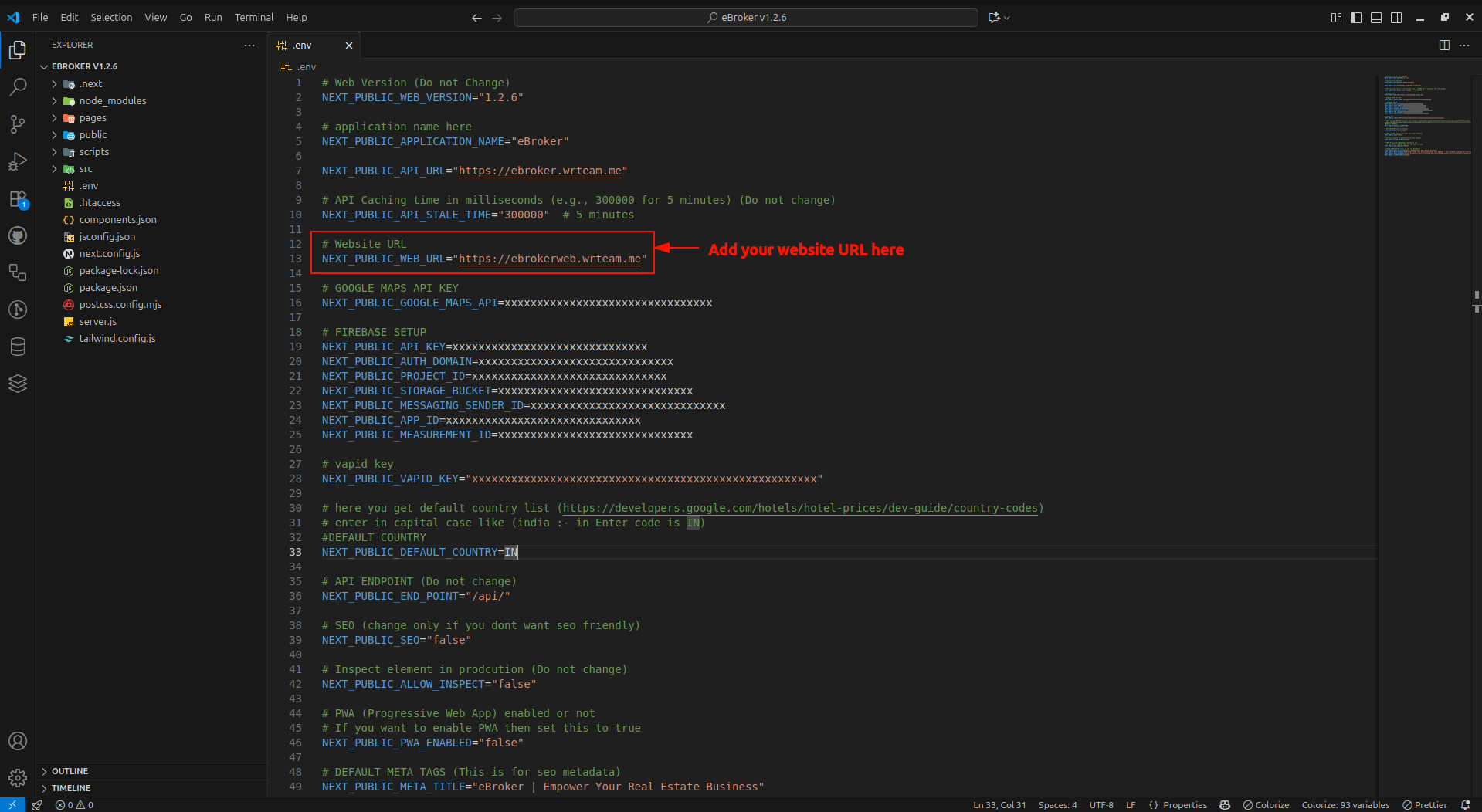
- Open the
.envfile in your project's root directory - Add your web domain or subdomain URL to the appropriate variable
Generating the Sitemap
To generate the sitemap for your website:
- Run the development server with the following command:
npm run dev
- This will automatically generate a sitemap.xml file in the
publicdirectory
Customizing the Sitemap
If you want to customize the sitemap manually:
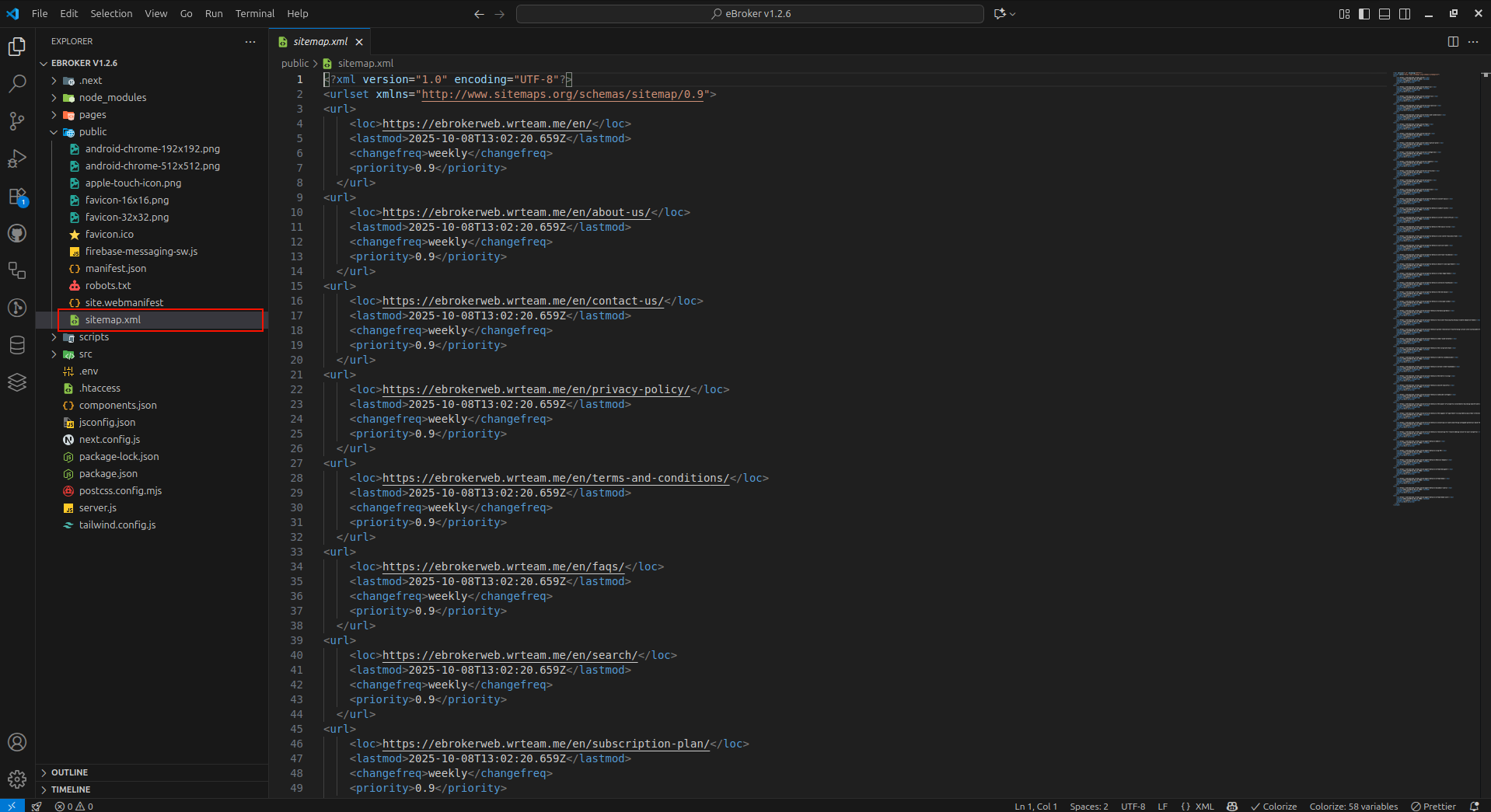
- Navigate to the
publicdirectory - Open the
sitemap.xmlfile - Modify the file according to your needs
Sitemap Structure
A typical sitemap follows this XML structure:
<?xml version="1.0" encoding="UTF-8"?>
<urlset xmlns="http://www.sitemaps.org/schemas/sitemap/0.9">
  <url>
    <loc>https://yourdomain.com/</loc>
    <lastmod>2023-04-01</lastmod>
    <changefreq>daily</changefreq>
    <priority>1.0</priority>
  </url>
  <url>
    <loc>https://yourdomain.com/properties</loc>
    <lastmod>2023-04-01</lastmod>
    <changefreq>daily</changefreq>
    <priority>0.8</priority>
  </url>
  <!-- Additional URLs -->
</urlset>
Submitting Your Sitemap to Search Engines
After creating your sitemap:
- Deploy your website with the sitemap.xml file
- Submit your sitemap URL to search engines through their webmaster tools:
- Google Search Console: https://search.google.com/search-console
- Bing Webmaster Tools: https://www.bing.com/webmasters
- Yandex Webmaster: https://webmaster.yandex.com
Best Practices
For an effective sitemap:
- Keep it up to date with your latest content
- Include all important pages you want indexed
- Set appropriate priority and change frequency values
- Keep the file size under 50MB and fewer than 50,000 URLs (create multiple sitemaps if needed)
- Make sure the URLs in your sitemap actually exist and return 200 status codes