Font Customization
Customizing your MtaaSpot web application's typography reinforces your brand identity and enhances readability across the platform.
Customizing Website Font
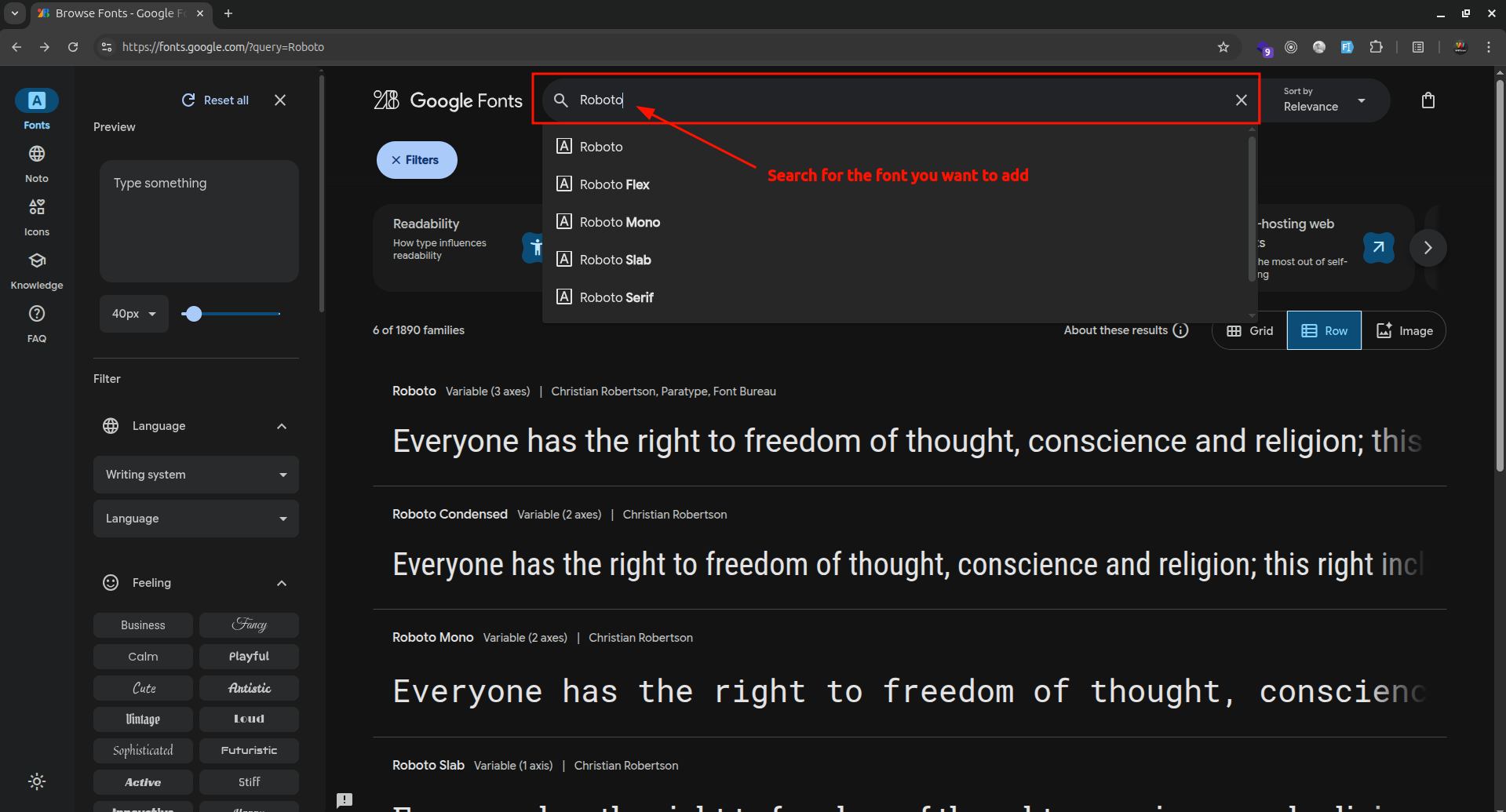
- Go to Google Fonts and search for your desired font family.
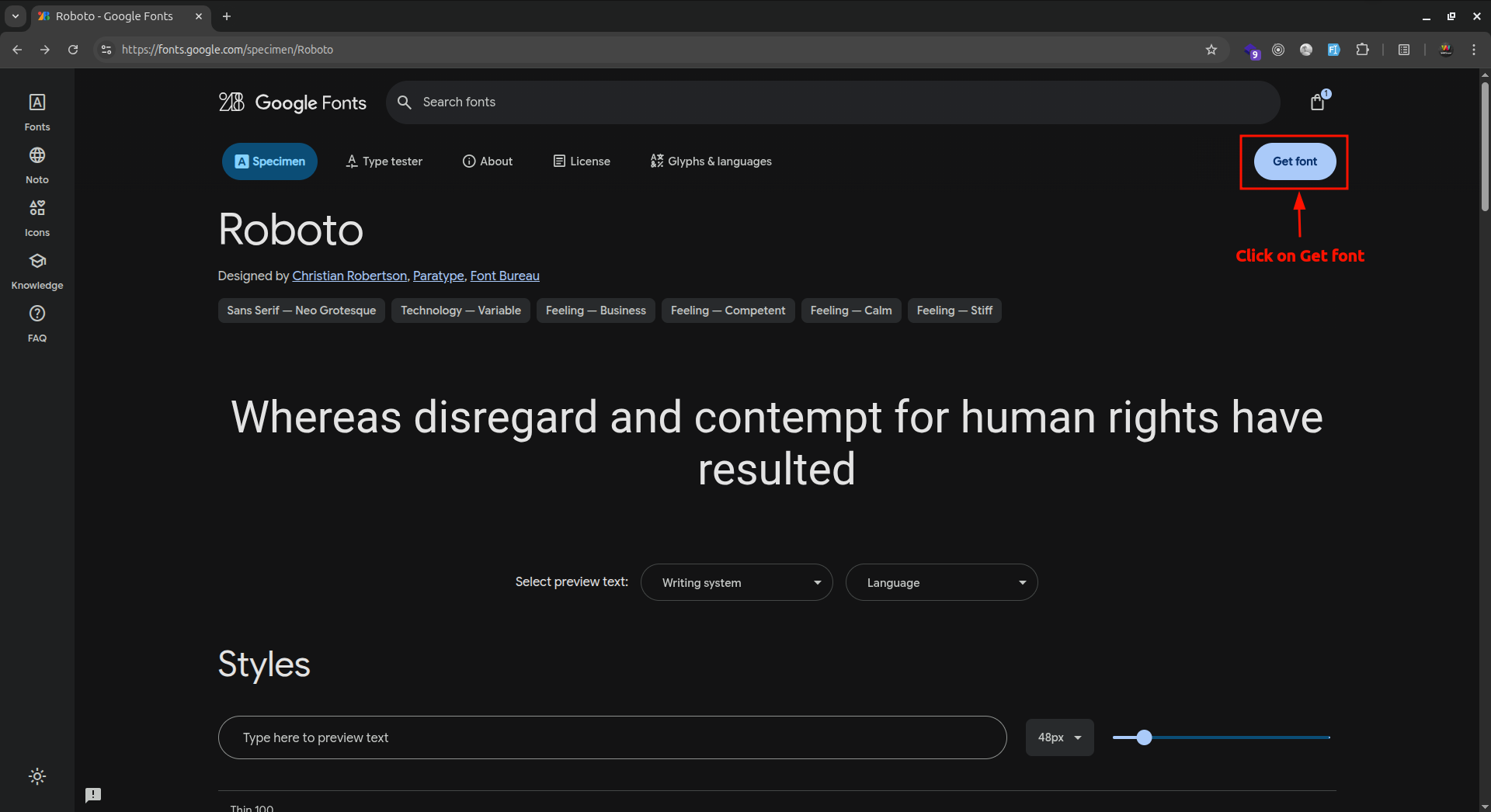
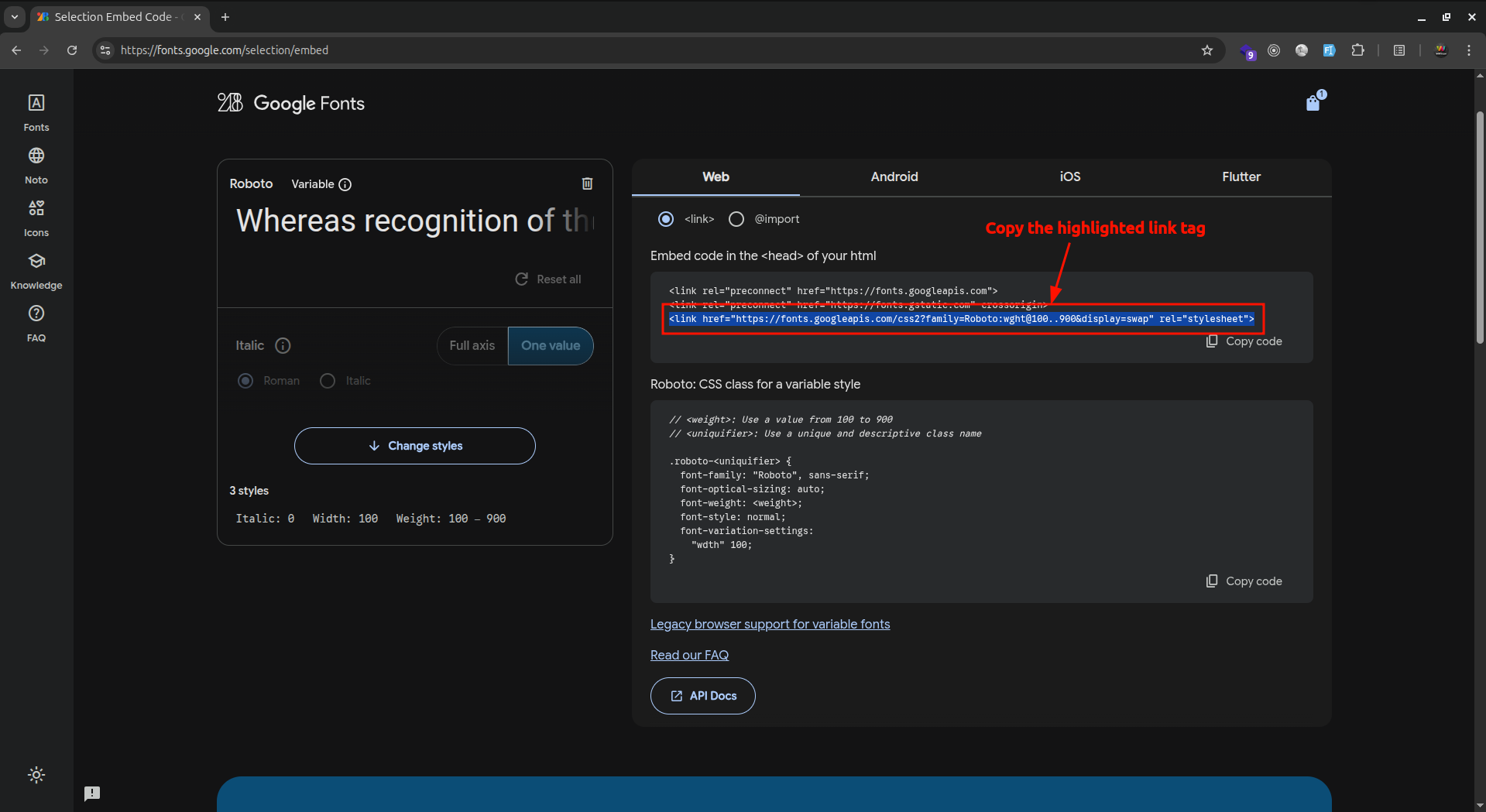
- Click on searched font, then click on "Get font" > "Get embed Code"
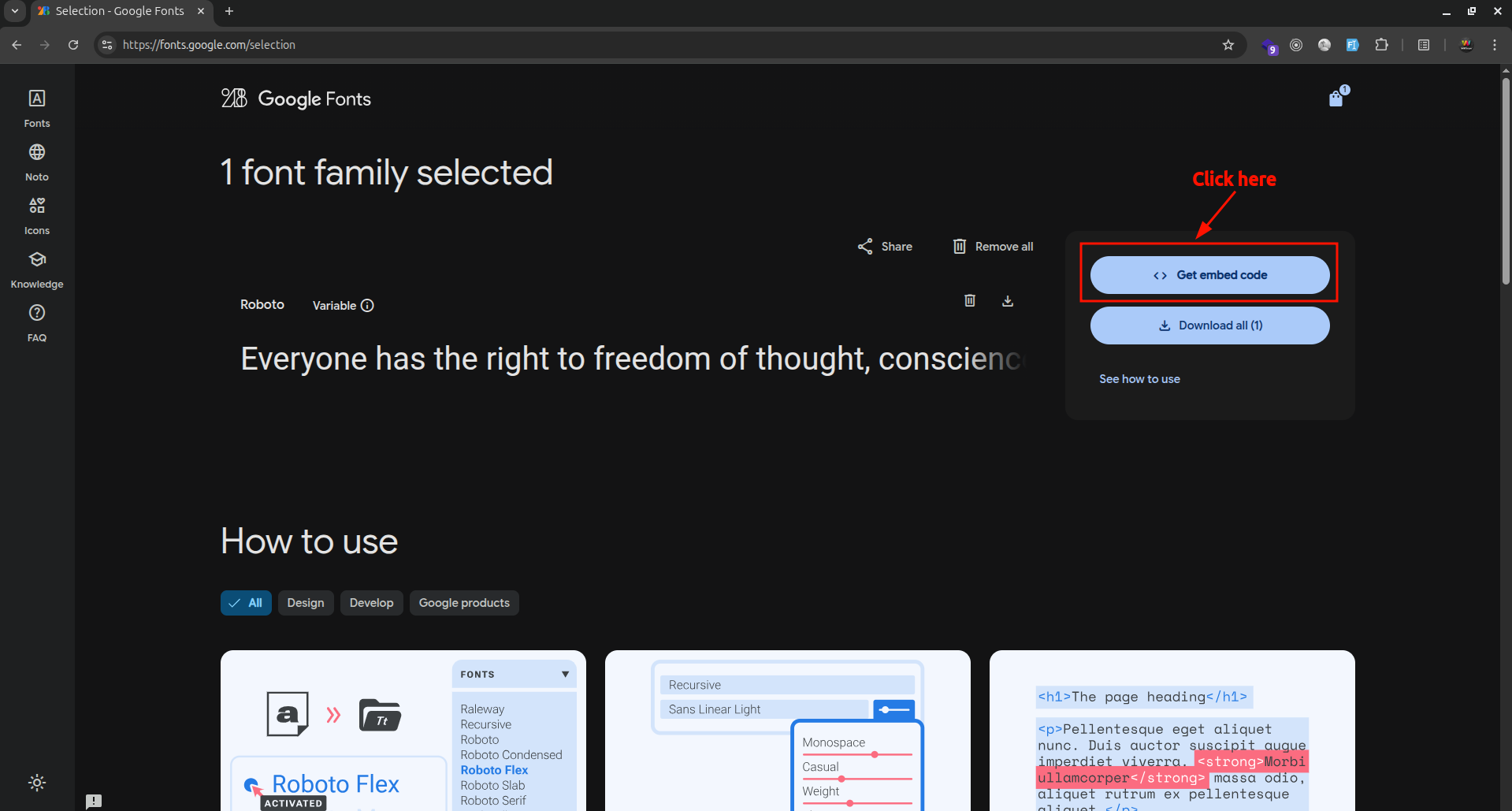
- Copy the highlighted
<link href="https://fonts.googleapis.com/css2?family=Roboto:wght@100..900&display=swap" rel="stylesheet" />tag, navigate to_document.jsfile ofpages/folder in the website code and paste it there.
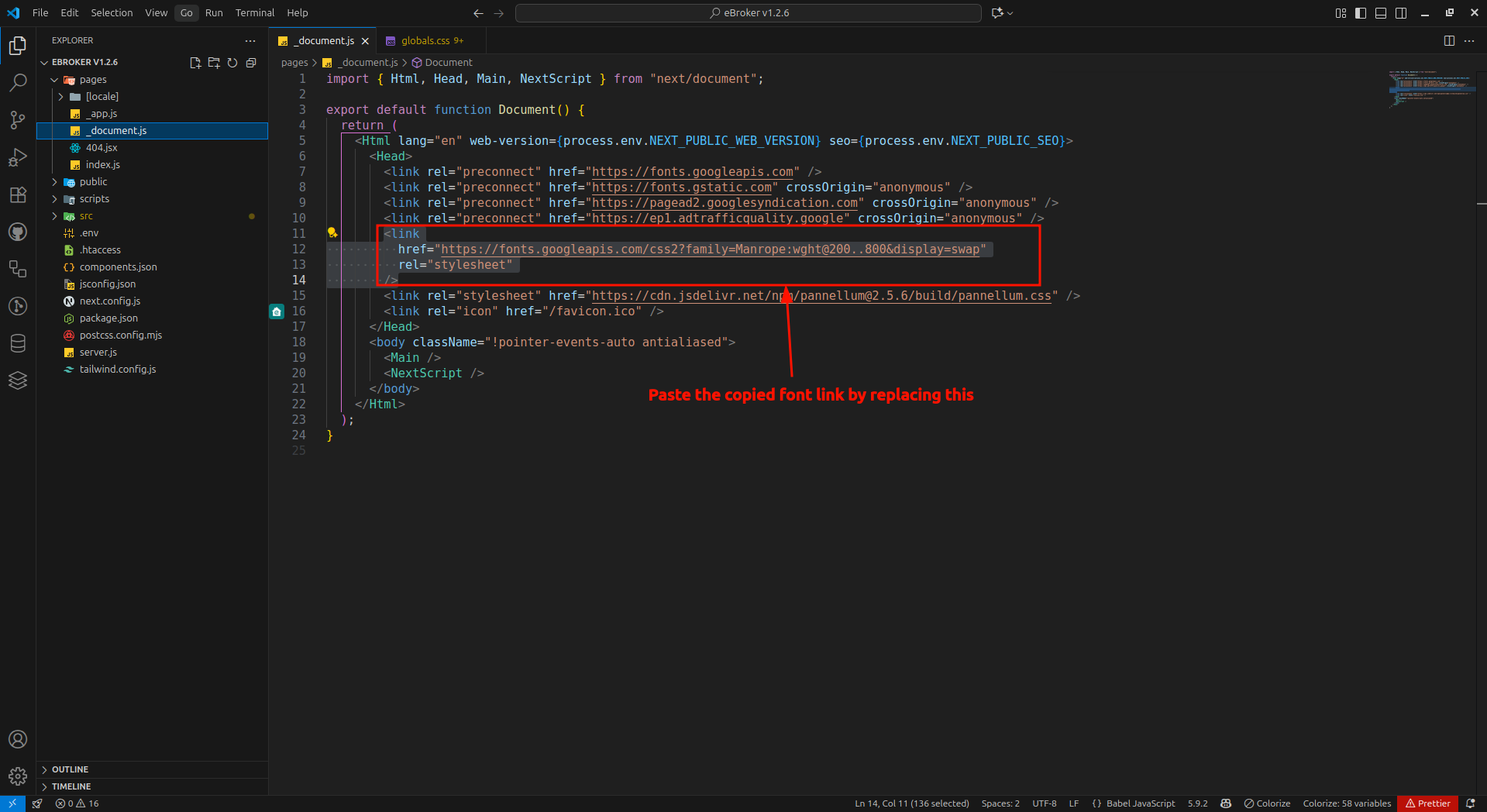
- Now navigate to
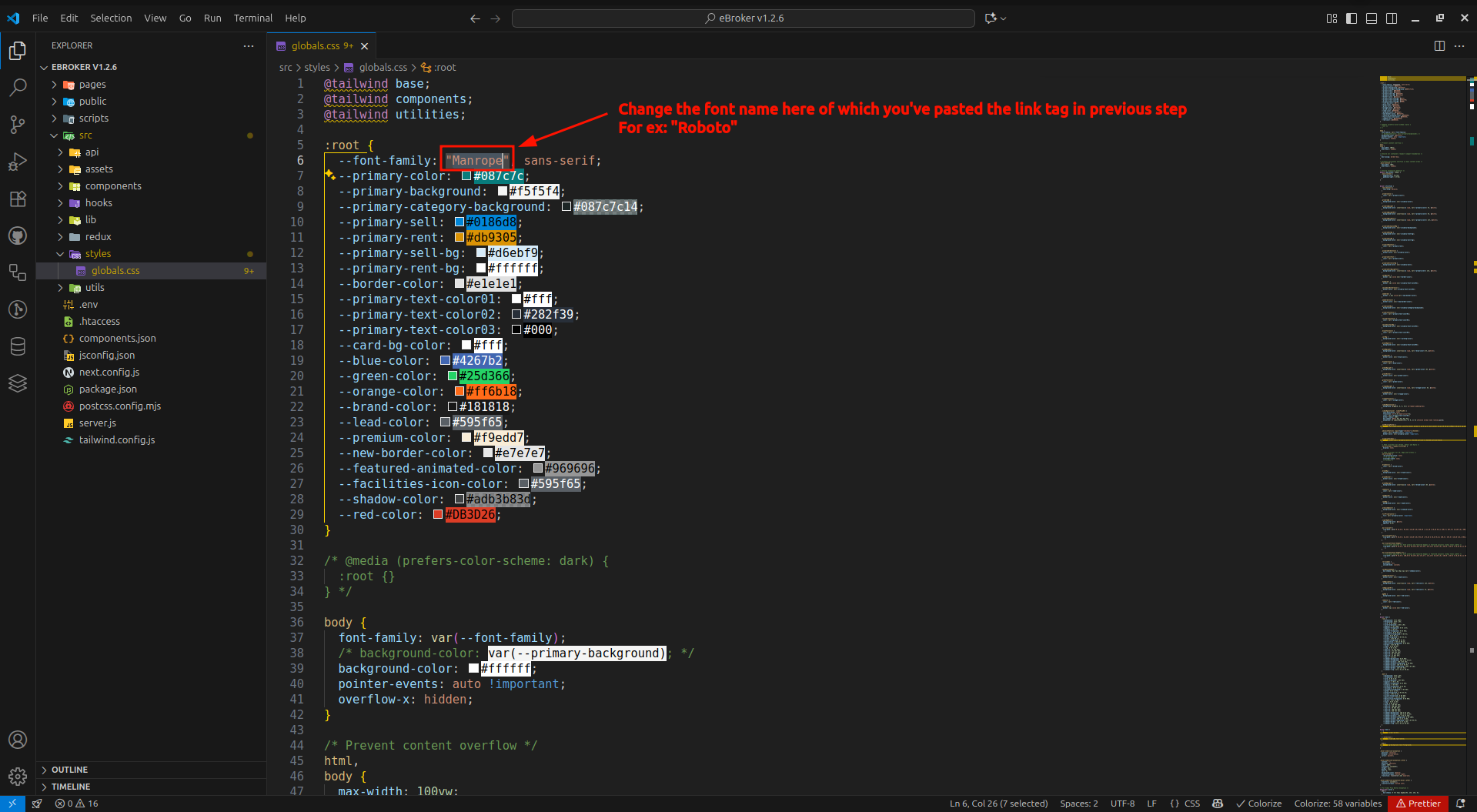
globals.cssfile insrc/styles/folder in website code and change the--font-family:css variable to include font style according to the font link tag you've attached.It will look like
:root {
  --font-family: "Roboto", sans-serif;
}